
Create Dynamic Tables
Introduction
Dynamic tables allow you to create powerful data tables in your forms with variable rows, remote fetching, and built-in calculations. Here are some features at a glance:
Dynamic tables in Formcrafts have some additional features like:
- Unlimited options: While the table itself displays a limited number of rows, you can apply a filter via another form field to create a search-like experience.
- Different column types: Table columns can be of different types like text, numeric, dropdown, date, formula, and read-only text.
- Column-level calculations: You can use the formula column type to add calculations based on other columns in the same row. This could be simple calculations like total price (quantity * unit price), or complex formulas using built-in functions.
- Fetch related data: Using SOQL as the data source, you can fetch related data from Salesforce objects. Example, you have a table of contacts, and you want to show the related account name for each contact in a different column.
Basic setup
On your Formcrafts dashboard ↗ click on Add Form → Start from scratch. Enter a Form name and hit enter. This will create a new form.
You can also create a new form by clicking on Add Form → Use a Template and selecting a template. This would allow you to skip this step.
Now add a table entry field to your form using the Add field button on the top-left corner of the form editor.
Next we need to enable Salesforce integration for the form. Click on Settings → Integrations → Enable integration, and find Salesforce. This will open a popup window where you can connect to your Salesforce organization.
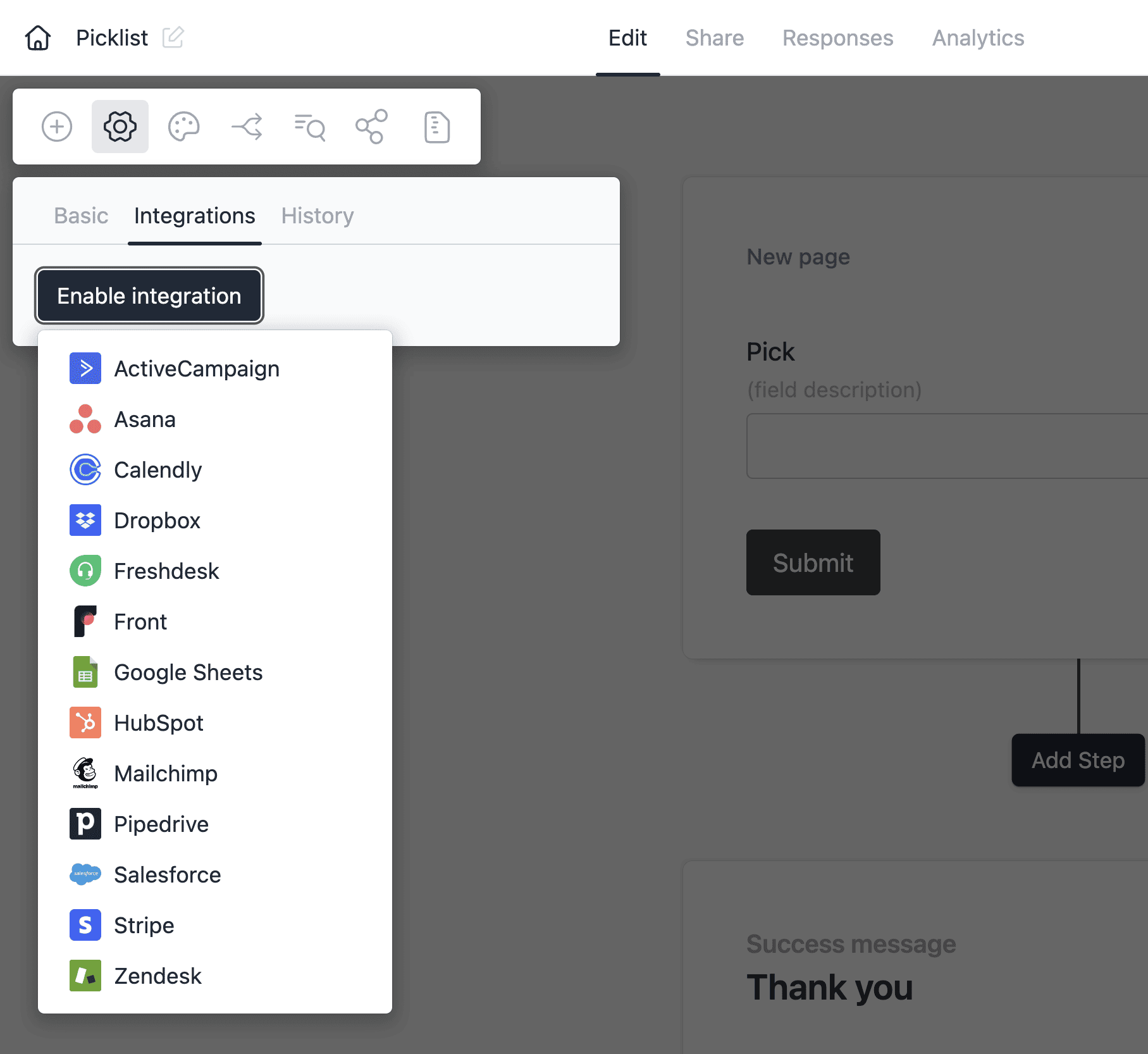
Table sources
Fetch table data directly from your Salesforce CRM. You can either query a specific object or use SOQL (Salesforce Object Query Language) for complex queries and dynamic parameters.
Source: Object
Available options:
- Salesforce object: An object like Lead, Contact, Account, etc.
- Filter rules: Optional rules to filter the records. If no rules are added, all records from the object will be fetched (up to 50)
- Column mapping: Map table columns to fields in the returned data
In this example, we have two form fields:
- Created after: Date field where user can select a date
- Lead source: Multiple choice field where user can select one or more lead sources
The table field config filters leads based on the values selected in these two fields.

When the user selects a date and lead source, the table fetches leads from Salesforce that match these criteria. When either field is updated, the table data refreshes automatically.
Source: SOQL query
This option provides more flexibility since you can write SOQL to fetch or filter based on related objects, and apply complex conditions.
Available options:
- SOQL query: Use
@to reference other form fields in the query - Column mapping: Map table columns to fields in the returned data
Here is an example that uses SOQL to fetch contacts where the account name partially matches a form field value:
SELECT name, email, account.name FROM Contact WHERE account.name LIKE '%@Filter by account%'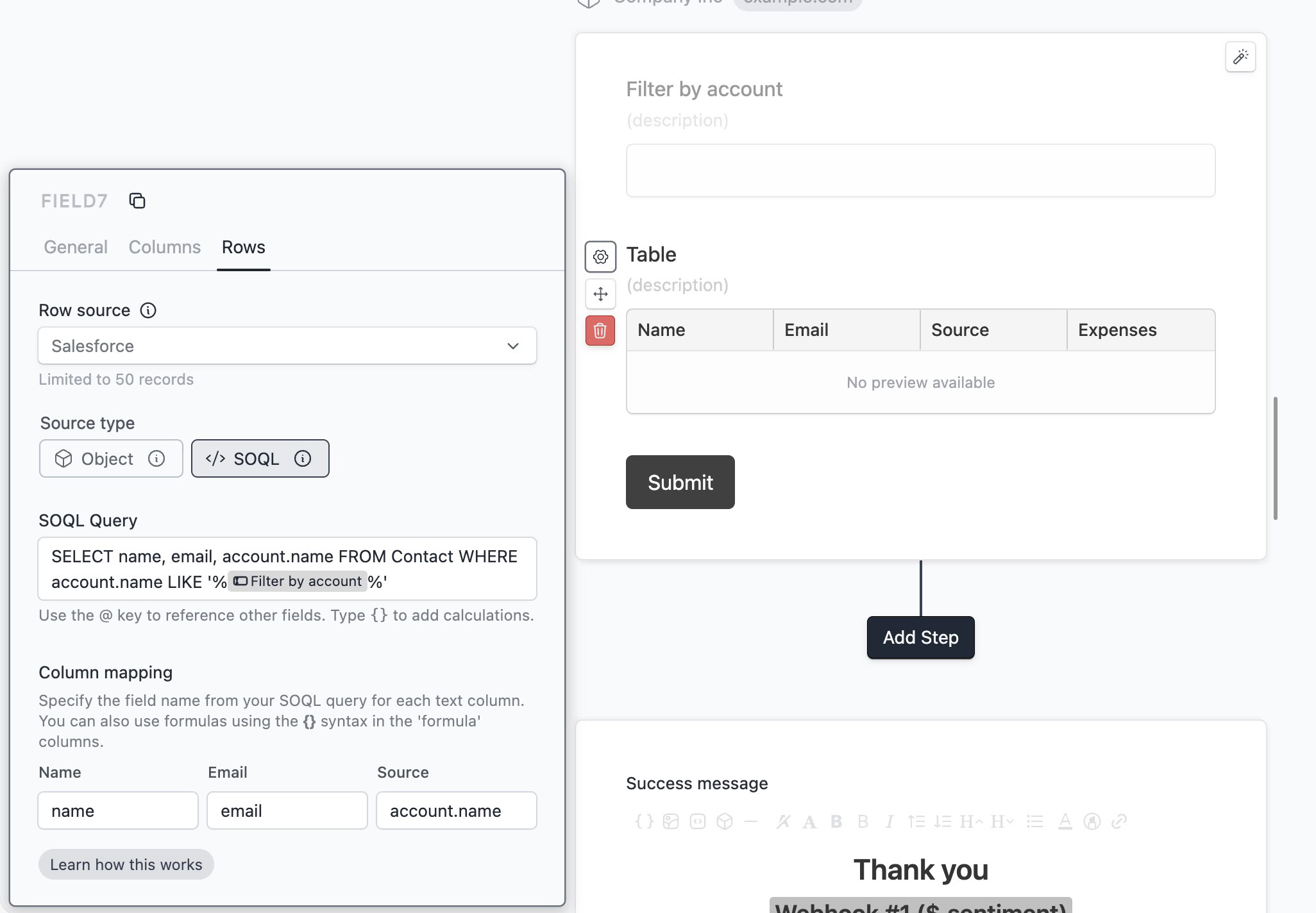
When the user types in the “Filter by account” field, the table fetches contacts from Salesforce whose account name matches the entered text. The table data refreshes automatically as the user types.